Invite your contacts to download the P- Phone App by tapping the invite button at the top of your contacts. The invite is instantly sent.
Important:
P-Phone works through secure app-to-app communication. Your selected contacts must have the P-Phone app installed on their phone to talk, text and video chat with you.
STEP 01
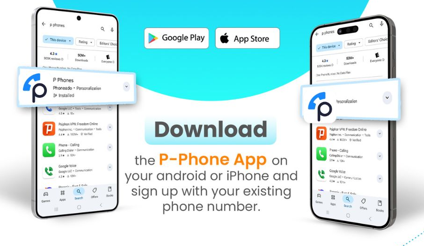
Download the P-Phone App
Download the P-Phone App on your Android or iPhone and sign up with your existing phone number.
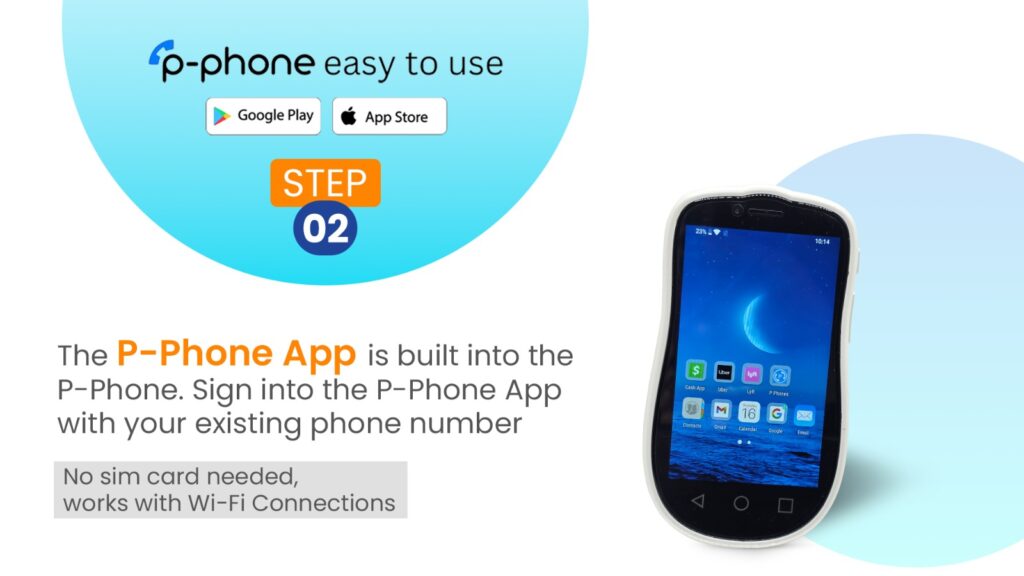
The P-Phone App is built into the device. Sign in using your existing phone number. No SIM card needed — works with Wi-Fi connections.
STEP 03
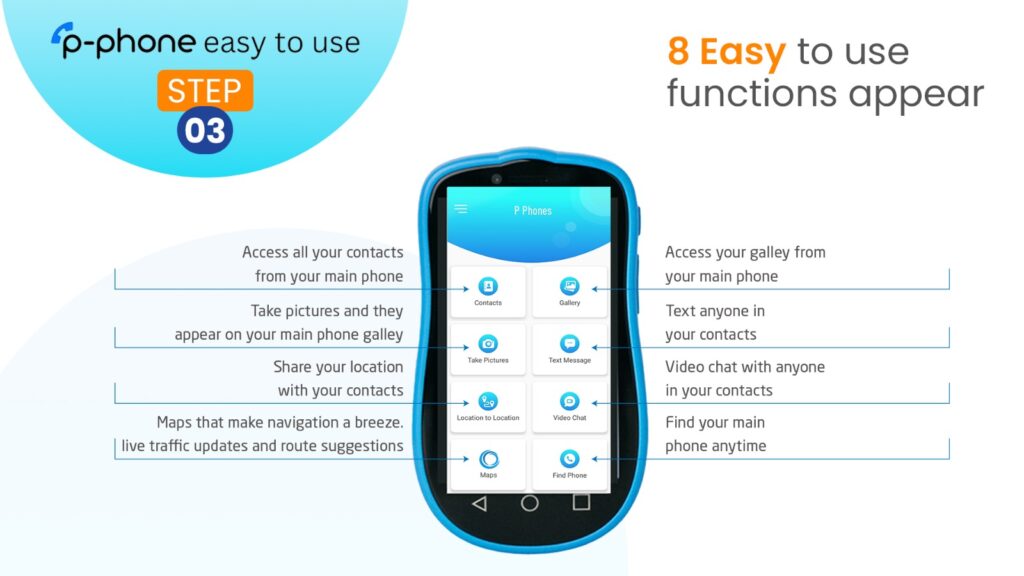
8 Easy-to-Use Functions
Access contacts, gallery, text messaging, video chat, location sharing, maps, photo sync, and Find My Phone.
Here's everything your P-Phone can do.
Call anyone in contacts
View your Gallery
Video Chat
Share your Location
Text Message
Google Maps
Take Pictures
Find my Phone
Visual Guidlenes
Set up P-Phone App and P-Phone
Set up Wi-Fi on the P-Phone
Have a question? You’re probably not the only one.
How long does the setup process take?
The setup process usually takes just a few minutes. Simply download the P-Phone app, sign in with your existing phone number, and follow the steps to connect your device.
Can I keep my existing phone number?
Yes, you can use your existing phone number. The P-Phone app connects your devices using your current number, so there’s no need to change anything.
What happens if I lose my Wi-Fi connection during setup?
Most areas have Wi-Fi you can ask about using there signal. Also the P Phone come with a Sim Card slot for data only.
Is my data encrypted during the sync?
Yes, all data is securely encrypted. P-Phone uses secure app-to-app communication to protect your information during syncing and usage.
loved by users worldwide
★★★★★
My mom lost her phone while traveling, and we were still able to stay in touch through P-Phone. Super easy and reliable. Highly recommend!
Sarah K., Jan 12, 2026
★★★★★
I live in a remote area with poor signal, but P-Phone works perfectly over Wi-Fi. Calls are clear and stable.
Daniel R., Feb 3, 2026
★★★★★
Set it up for my kids so we can always reach them. Very simple to use and gives peace of mind.
Emily T., Feb 18, 2026
★★★★★
Was able to call my family overseas without any issues. No SIM, no hassle — just works.
Ahmed S., Feb 21, 2026
★★★★★
My main phone died, but I could still access everything from my P-Phone. Contacts, photos, everything synced instantly.
Lucas M., Mar 22, 2026
★★★★★
Super helpful during travel. I stayed connected the whole time using hotel Wi-Fi. Really impressed with how smooth it is.
Olivia B., Mar 30, 2026
Still need help? We’re here for you.
Our support team is available 24/7 to assist you.
Email Us
Send us a message and we’ll get back to you within 24 hours. contact@pphones.com
Live Chat
Chat with a real person instantly. Average response time: 30 seconds.
App Updates
Download the latest updates to keep your app running smoothly.